
How Creator Posting Gaps Affect OnlyFans Subscription Value
OnlyFans subscriptions charge you by the month, but content arrives on the creator’s schedule, not yours. That mismatch is the entire story of posting gaps: you pay for 30 days of access and receive whatever volume of posts the creator produces in that window. A quiet fortnight feels very different when the billing cycle never pauses, which is why understanding posting rhythm before you subscribe saves both money and disappointment. BestOnlyFans refreshes its rankings every month.
This guide treats posting frequency as a measurable factor in subscription decisions, sitting alongside price and content type. You will learn to read activity signals on public previews, recognize the common causes behind quiet periods, and decide when patience makes sense versus when it is time to walk away from a $4.99 to $49.99 monthly commitment.

Why Posting Rhythm Matters on OnlyFans
A subscription is a prepaid window of access, and access only feels valuable when there is something new to open. A creator posting daily delivers roughly 30 pieces of fresh material across a month. A creator posting twice weekly delivers eight. Both may charge the same $9.99, and the difference in perceived value is enormous.

Gaps hit harder on monthly billing because the meter never stops. On a per-post basis, a quiet week can quietly double the effective cost of everything you received, even though the headline price never changed.
| Posting Frequency | Subscriber Perception | Typical Price Range |
|---|---|---|
| Daily or near-daily | Feels active and worth renewing | $9.99-$15 |
| Several times per week | Acceptable if quality is consistent | $4.99-$10 |
| Weekly | Tolerated mainly on cheaper tiers | $4.99-$7 |
| Sporadic or paused | Renewal doubts appear fast | Any tier, poor value |
The practical takeaway is simple: match the price you pay to the rhythm you can verify. A $4.99 page posting weekly can represent better value than a $15 page posting monthly, because the cheaper tier asks far less of your budget while you wait.
Reading Activity Signals Before You Subscribe
Public previews give you more data than most people use. The newest post timestamp, total media count, and like distribution all hint at whether the page is currently alive or coasting. None of these numbers is definitive alone, but together they form a useful picture.
- Timestamp of the newest post, checked against today’s date
- Like-to-post ratio trends across the visible grid
- Story update frequency on platforms where previews show it
- Recency of the pinned post, which creators often refresh when active
- Comment response patterns on public threads
Ranking sites exist partly because OnlyFans has no built-in discovery feed or directory. That absence means third-party cards often carry the timestamps, media counts, and category tags you need for comparison. The BestOnlyFans methodology, for example, weighs recent activity alongside price tier when ordering listings, which makes gaps visible before money changes hands.

A page with 400 media items accumulated over three years and no post in five weeks tells a different story than 400 items with a post from yesterday. Volume without recency is an archive; volume with recency is an active feed. Decide which one you are paying for.
Common Patterns Behind Creator Quiet Periods
Most gaps are not abandonments. Creators are individual operators, not media companies with standby teams, and their output naturally ebbs and flows. Recognizing the pattern behind a quiet stretch helps you judge whether it is temporary or structural.
- Scheduled content breaks for batch production and editing
- Health or personal circumstances that pause filming entirely
- Strategy shifts toward PPV-heavy models with fewer feed posts
- Seasonal demand fluctuations around holidays and summer
The third pattern deserves special attention. A creator who moves toward pay-per-view messages may post less on the main feed while still monetizing actively through unlocked content. Your subscription then functions more like an entry ticket than a content library, because the bulk of new material arrives behind additional paywalls.
Tip: before cancelling during a gap, check whether the creator has shifted to PPV messages. If new paid messages keep arriving, the page is active but the delivery model changed, and that is a different problem than inactivity.
Seasonal patterns are the easiest to plan around. Many creators slow down during major holidays or exam periods, then return with heavier schedules. If you notice the same quiet stretch two years running, you can simply pause your subscription during that window and resume afterward.

Protecting Your Budget From Inactive Subscriptions
Cancellation is your main lever, and timing it well prevents paying for empty weeks. Because the platform applies a 20% fee on everything and the creator keeps 80%, your monthly charge is the creator’s core income — but that does not obligate you to fund a pause.
- Check your renewal date against the creator’s expected return
- Use the final week of the cycle to decide, not the first
- Document gap length if you plan to request a refund
- Set a calendar reminder for a 25-day review of every subscription
The 25-day reminder works because most cycles are 30 days. Reviewing five days before renewal gives you time to cancel without losing access you already paid for, and it prevents auto-renewal from silently extending a quiet page for another month.
Remember that when a creator raises the price, auto-renew stops automatically and your existing access lasts until the paid period ends. That mechanic works in your favor during transitions: you are never charged the new rate without a fresh decision, so use the same deliberate approach when a gap suggests the value has slipped.

Platform Mechanics: What Happens During Gaps
The billing system does not pause when posting does. Your monthly charge proceeds regardless of post volume, and there is no automatic proration for quiet weeks. Understanding these mechanics prevents surprises when you finally decide to act.
- Monthly charges continue regardless of how many posts appear
- PPV messages may increase as creators compensate for feed gaps
- Partial-month refunds are not standard policy on the platform
PPV messages unlock up to $50 each, and paid chat commonly runs $3 to $5 per message, so a creator leaning on those channels during a feed gap can still generate steady income from subscribers who engage. Tips can reach $100, which means some fans willingly pay more during quiet periods for direct attention rather than feed content.
Refund requests exist but succeed mainly in clear cases of non-delivery rather than ordinary quiet stretches. Keep records of what you paid and what you received if you intend to raise the issue with support.
Long-Term Subscriber Strategies for Variable Activity
Some fans keep subscriptions through quiet periods because they value the archive, the direct messages, or the relationship itself. If that describes you, a few habits keep the arrangement healthy on both sides.
- Send one polite message asking about posting plans rather than demanding updates
- Engage through tips during gaps if you want to signal continued support
- Browse the archive for material you missed during busier months
- Consider tiering down rather than cancelling outright where options exist
Message etiquette matters more than most subscribers realize. A single courteous question about upcoming content usually gets an honest answer, while repeated complaints rarely speed anything up. Creators notice who communicates reasonably and often prioritize those subscribers when they return to a normal schedule.
Free pages change the calculation entirely. A page priced at $0 carries no monthly risk, so gaps cost you nothing except attention, and creators on free pages earn through PPV and tips instead. If budget protection is your priority, mixing free pages with one or two paid subscriptions limits your exposure to any single creator’s rhythm.
Building a Sustainable View of Creator Consistency
Consistency is a pattern, not a single snapshot. Tracking a creator across two or three months tells you far more than any one quiet week, and it turns a vague feeling of disappointment into a clear budget decision.
| Gap Duration | Recommended Action | Budget Impact |
|---|---|---|
| About 1 week | Wait and keep the subscription running | Minor, within normal variation |
| 2-3 weeks | Pause auto-renewal and monitor | One month potentially wasted |
| 1 month or longer | Cancel and revisit later | Recurring charges with no output |
If a creator you like maintains a public presence elsewhere, a quick check of bios and links can reveal whether they have moved activity to another platform or simply stepped back. Subscribers comparing options often consult lists of good onlyfans bios to find pages with clear, honest descriptions of what to expect and how often to expect it.
Over time you will sort creators into two groups: those whose quiet periods reliably end, and those whose pages have effectively gone dormant. Patience is reasonable for the first group and wasteful for the second. Your subscription list should reflect that distinction every month.

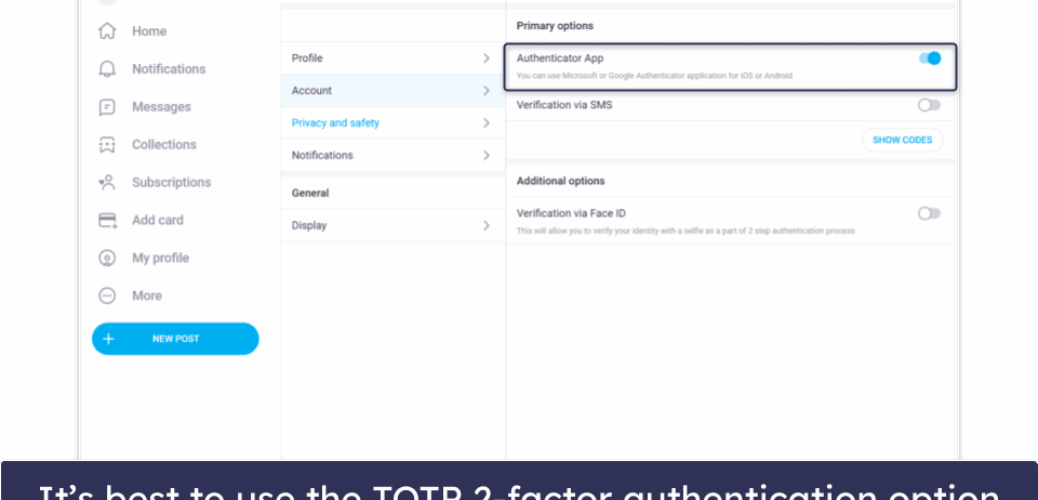
As you refine these habits, keep your account itself secure with two-step authentication, because managing cancellations and renewals across several subscriptions works best when nobody else can access your settings. Consistency in your own review routine is the counterpart to consistency in a creator’s schedule.
FAQ
Does OnlyFans notify subscribers when a creator stops posting?
No. The platform does not send inactivity alerts, and billing continues on schedule. You have to monitor posting patterns yourself or rely on external tools and ranking cards that surface recent activity data.
Can I get a refund if a creator hasn’t posted in weeks?
Refunds are not standard policy for quiet periods, since a subscription buys access rather than a guaranteed post count. Requests succeed mainly in clear non-delivery cases, so document your charges and received content before contacting support.
How do I check when a creator last posted without subscribing?
Public previews often show the newest post timestamp, total media count, and recent like activity. Third-party ranking sites display similar signals, and the BestOnlyFans cards include recency data precisely because the platform offers no discovery feed of its own.
What’s the difference between a content break and an abandoned page?
A break is temporary and usually announced or followed by a return within weeks, while an abandoned page stays silent for a month or more with no updates anywhere. Multiple months of inactivity, combined with no public activity elsewhere, is the clearest sign to cancel.